Castellan guide
Castellan turns an adventure written in Markdown into a single HTML page you run the game from. The example adventure uses everything on this page.
Building a page
- Put the adventure file and its images in one folder.
- On the Castellan home page, choose the folder or drop it on the page. The page is built in your browser and nothing is uploaded.
- Fix anything listed under "things to fix", then download the HTML file.
The downloaded page works offline in any modern browser. Rebuild it whenever you change the file. Session state is kept per adventure title, so a rebuilt page picks up where you left off.
Running a session
The page has three columns: the map and area list on the left, the adventure text in the middle and session tools on the right.
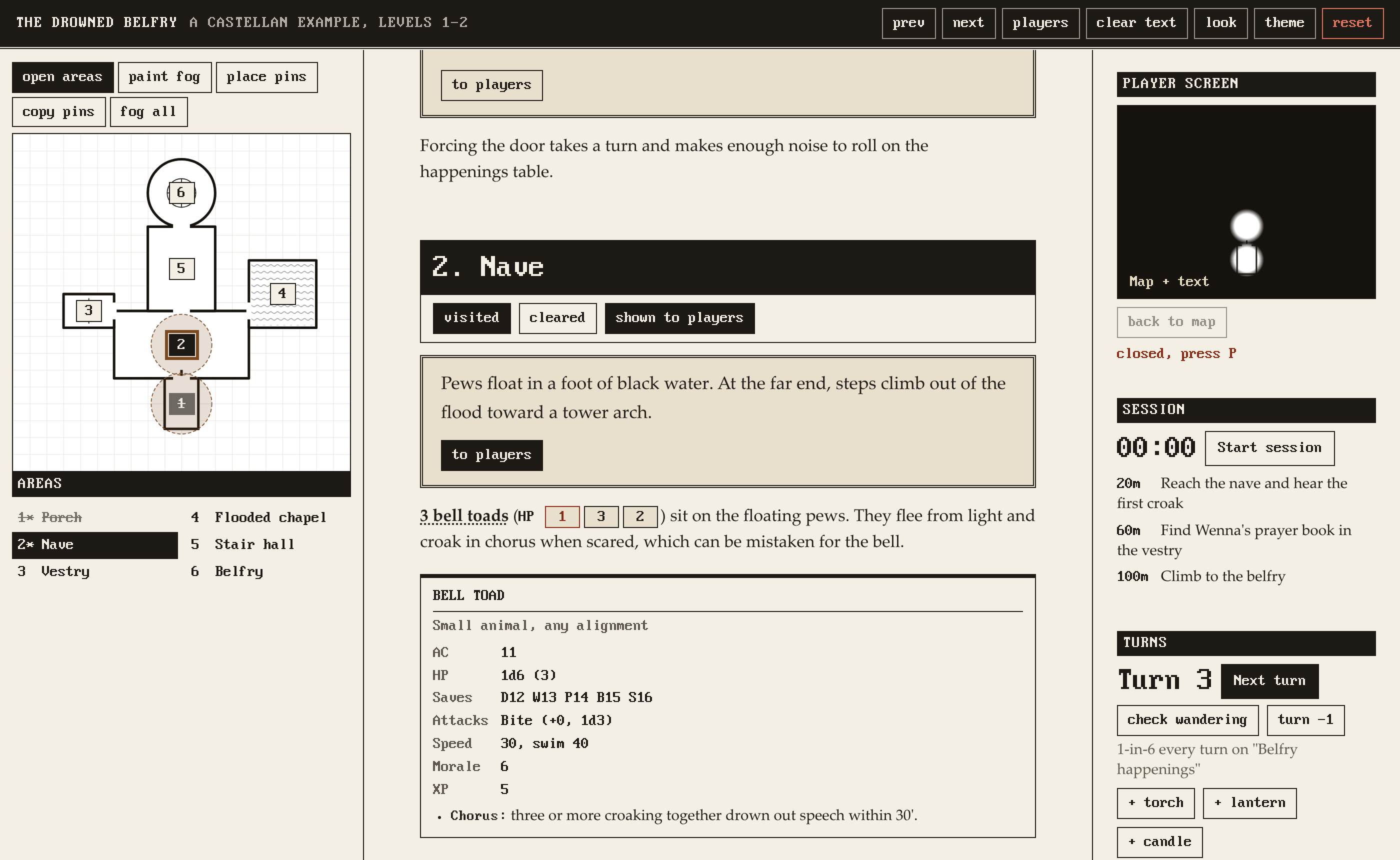
Areas
Click a pin on the map or an area in the list to jump to it, or step through with prev and next. Each area has three buttons:
| Button | What it does |
|---|---|
| visited | Marks the area as visited in the list and on its pin. |
| cleared | Marks the area as cleared. |
| show players | Clears fog around the area's pin on the player map. Click again to cover it. |
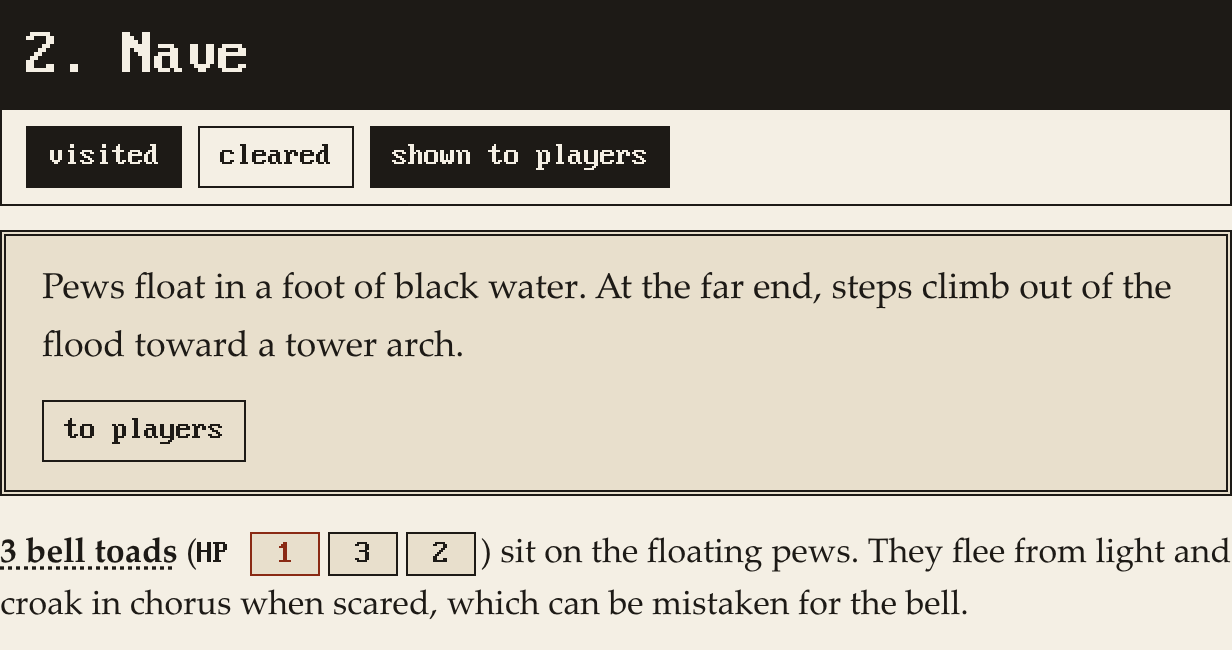
Player screen
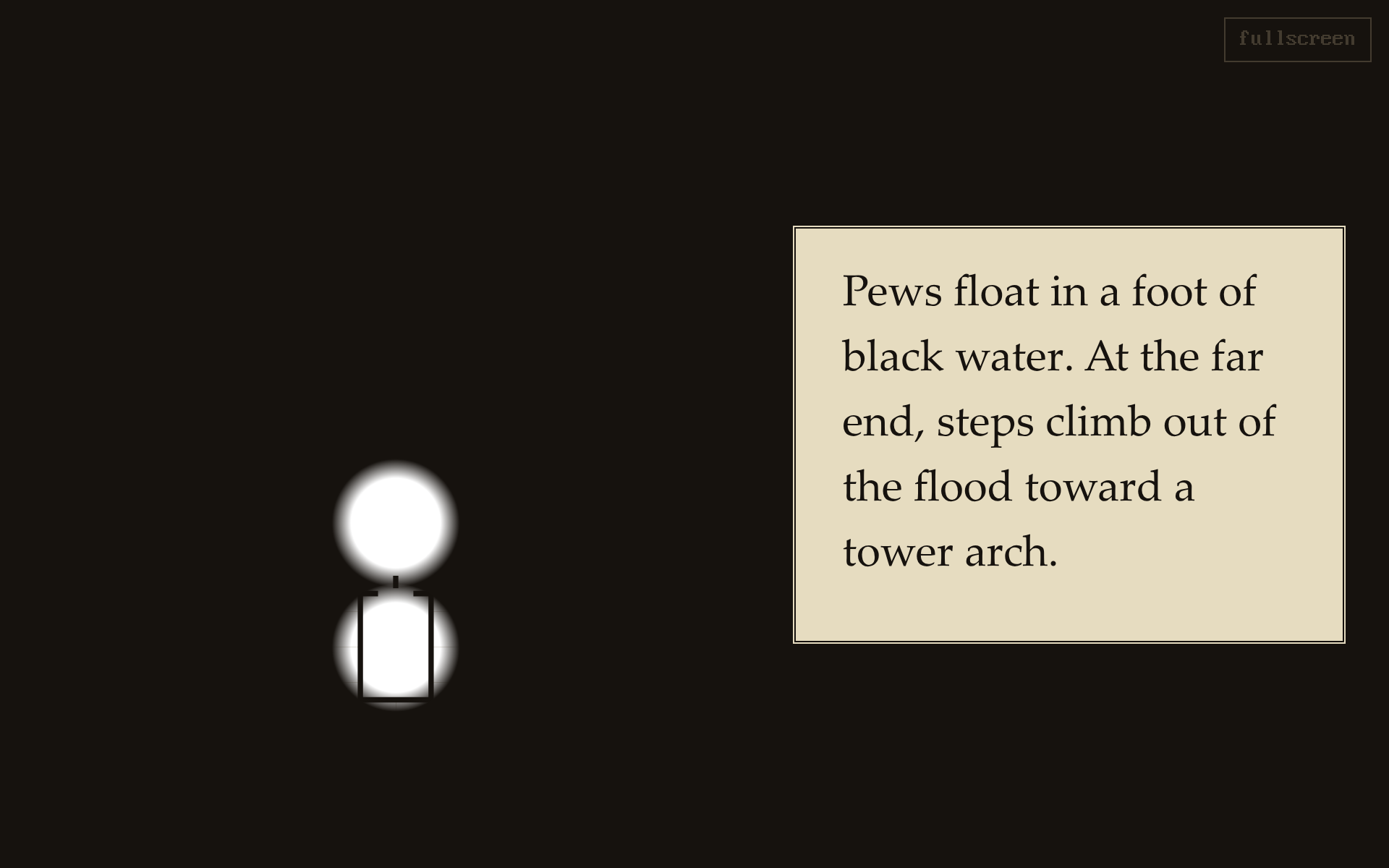
Press P or click "players" to open the player screen in its own window. Drag it to a second display, or share the window on a video call for online games. A small preview of it sits at the top of the tools column.
The player screen shows a title card until you reveal part of the map. Images sent with "to players" replace the map until you click "back to map". Read-aloud text sent with "to players" shows alongside whatever is on screen until you click "clear text".
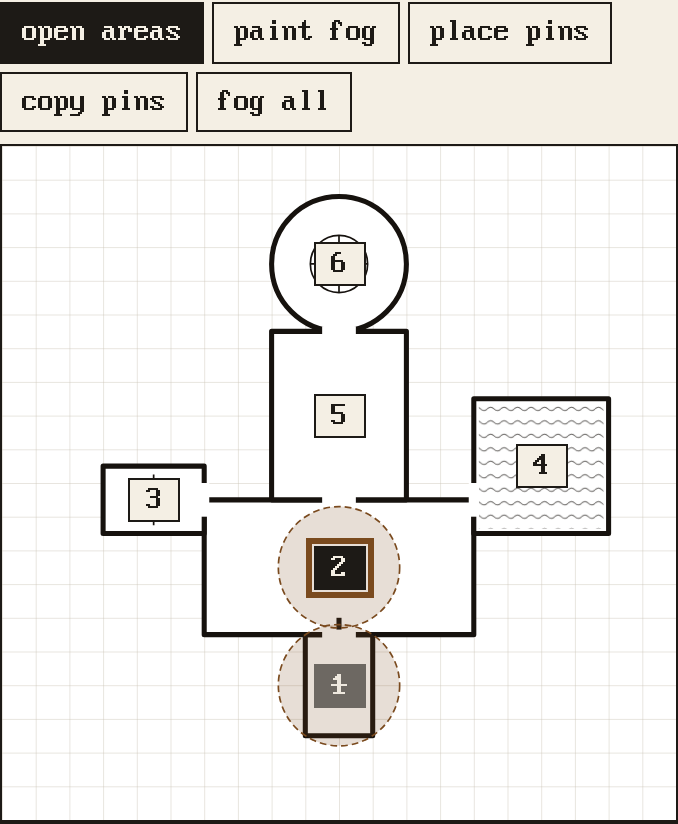
Map
Scroll to zoom and drag to pan. The buttons above the map set what a click does:
| Mode | Click | Shift-click |
|---|---|---|
| open areas | Opens the area for a pin. | |
| paint fog | Clears fog on the player map. | Covers a cleared spot again. |
| place pins | Places the pin for the selected area. |
"fog all" covers the whole player map again. "copy pins" copies a map block with every pin to paste into your file.
Turns and lights
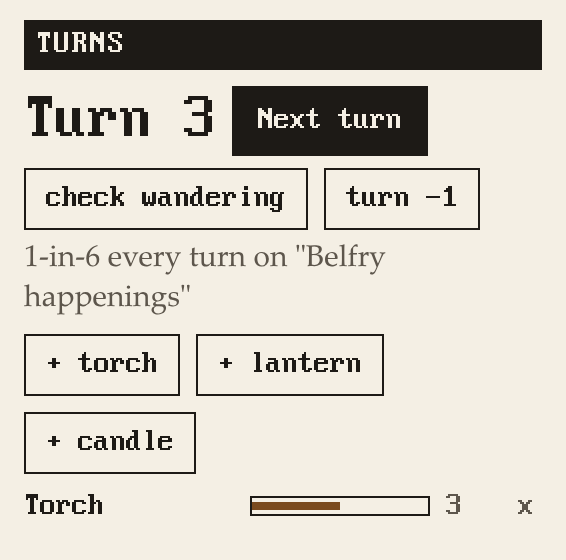
"Next turn" (or T) advances one dungeon turn. Each turn burns down every light, checks for wandering monsters on the schedule set in the file, and reminds you when a rest is due. "check wandering" rolls a check outside the schedule and "turn -1" steps back without any effects.
Add a light with its button, for example "+ torch". Lights count down each turn and warn you when they burn out.
Session timer
"Start session" starts the timer. Pace marks from the file are highlighted as they come due.
HP, clocks and rolls
- Click an HP number and type damage. Negative numbers heal. Right-click heals 1.
- Click a clock box to fill the clock up to it. Click the last filled box to empty it.
- Click dice in the text to roll them. Click a table's "Roll" button, or its name in the Tables panel, to roll on it.
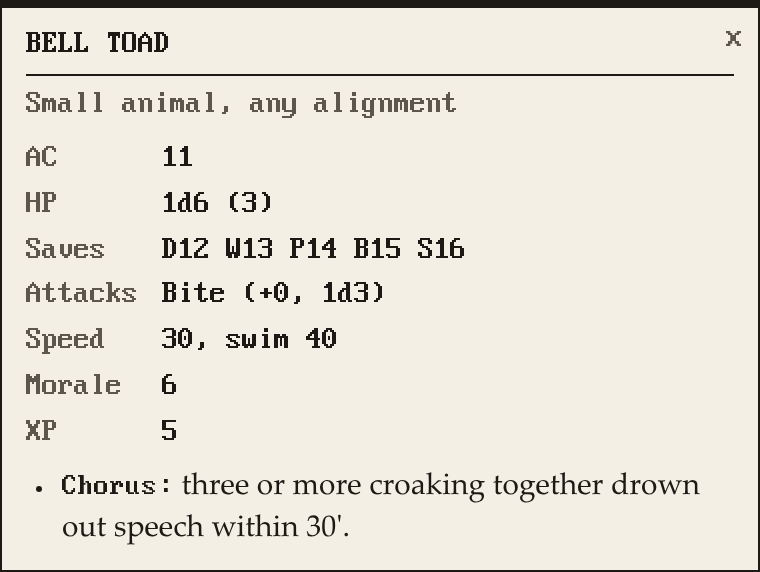
- Click a monster's name to open its stat block. Up to three stay open. Escape closes them all.

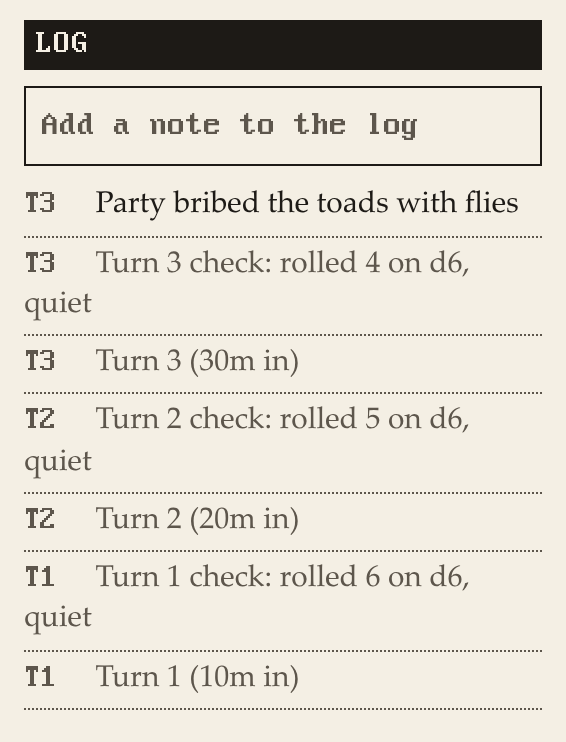
Every roll goes into the log with the turn it happened on. Type in the box above the log to add your own notes.
Saving and resetting
Turns, HP, clocks, fog, visited areas and the log are saved in your browser as you play. "reset" clears them for this adventure. "look" switches the page style and "theme" switches light and dark.
Keyboard shortcuts
| Key | Action |
|---|---|
| T | Next turn |
| P | Open the player screen |
| [ and ] | Previous and next area |
| Escape | Close stat blocks |
Writing the file
Castellan recognizes the syntax below and renders everything else as normal Markdown.
Settings
Settings go in front matter at the top of the file:
---
title: The Drowned Belfry
subtitle: Levels 1-2
map: belfry-map.png
player_map: belfry-players.png
look: zine
lights: Torch 6, Lantern 24, Candle 2
wandering: Belfry happenings
wandering_chance: 1
wandering_die: 6
wandering_every: 2
rest_every: 6
---
Only title is required.
| Setting | What it does | Default |
|---|---|---|
subtitle |
Shown next to the title. | |
map |
Map image for the GM. | |
player_map |
Map image for the player screen, usually with secret doors removed. | map |
look |
Page style: zine, lamplight or ledger. |
zine |
lights |
Light sources and how many turns each lasts. | Torch 6, Lantern 24 |
wandering |
Title of the random table rolled for wandering monster checks. | |
wandering_chance, wandering_die |
Odds of a wandering monster. 1 and 6 is 1 in 6. |
1, 6 |
wandering_every |
Turns between wandering monster checks. | 1 |
rest_every |
Turns between rest reminders. 0 turns them off. |
6 |
Areas
Each keyed area is a level 3 heading with its key and name:
### 1. Porch
### 2: Nave
### A3. Hidden shrine
Keys are numbers with an optional letter before or after (A3, 4b). An area runs until the next area or the next level 1 or 2 heading. Level 2 headings without a key are reference sections, for background, rumors and anything else you want on hand.
Read-aloud text
Blockquotes become boxed text with a button that sends them to the player screen:
> Pews float in a foot of black water.
Monsters
Bold a monster's name to link it to its stat block. Counts and plurals are ignored, so **3 bell toads** links to Bell toad. Add (HP ...) after it to get an HP tracker for each one:
**3 bell toads** (HP 4, 3, 2) sit on the floating pews.
Dice
Dice expressions anywhere in the text roll when clicked: d20, 1d6, 2d4+1.
Stat blocks
```statblock
name: Bell toad
tags: Small animal
ac: 11
hp: 1d6 (3)
attacks: Bite (+0, 1d3)
morale: 6
art: art/bell-toad.png "Art by Sam Lee"
- Chorus: three or more croaking together drown out speech.
```
name is required. Other fields can be anything your system uses and appear in the order written. Lines starting with - are special abilities. art is an optional image path with the artist credit in quotes.
Clocks
```clock
name: The tide comes in
segments: 4
note: Fill one each hour. When full the nave floods.
```
segments is 1 to 24, default 4.
Pacing
Pace marks show on the session timer. Each line is minutes into the session and what should have happened by then:
```pace
20: Reach the nave
60: Find the prayer book
```
Map pins
Each line places an area's pin on the map, as percent across and percent down:
```map
1: 50, 80
2: 50, 62.5
```
You don't need to work these out by hand. In the finished page, use "place pins" to click each area onto the map, then "copy pins" and paste the result into your file.
Images
Standard Markdown images, with the artist credit as the title:

Images appear next to their area and can be sent to the player screen. Paths are relative to the adventure file. Any image format a browser can show works, which rules out TIFF.
Random tables
Tables use the perhaps format:
```perhaps
title
  Belfry happenings

output
  [event]

event
  A bell toad croaks a perfect B flat.
  Water seeps up for 1d4 turns.
  2d4 drowned rats swim past. ^2
```
| Syntax | Meaning |
|---|---|
title |
The table's name, used by the wandering setting and by other tables. |
output |
The section rolled when the table is rolled. Without it, the first section is rolled. |
[event] |
Roll on the event section, or on another table by its title. |
^2 |
Entry is twice as likely. |
{a|b|c} |
Pick one of the options. |
{2-8} |
Pick a number in the range. |
1d4 |
Dice roll inside entries too. |
Section names start at the left margin and their entries are indented two spaces.
Wikilinks
Obsidian-style links like [[Sister Wenna]] render in italics.
Converting a published adventure
Copy the text from the PDF one area at a time. Two-column layouts and boxed text often paste out of order, so read each area back. Then add area headings, read-aloud quotes, bold monsters with HP, stat blocks and random tables as above.
When you load the file, Castellan lists anything it can't read. Place map pins in the finished page.
For art, pdfimages extracts every image from a PDF at full resolution.